
Zupee Refer and Earn: Invite your Friends Now
Unlock rewards with your Zupee referral code!
 Download App
With Zupee Refer and Earn, sharing the fun is easy. Invite your friends through the app using your code and get rewarded for every new player who joins.
It’s quick, free, and effortless. Just share your Zupee referral code, let others join the games, and enjoy the benefits that come your way. Use your Zupee invite code now and see how simple it is to get started.
How Zupee Refer & Earn Works?
Here’s how you can start the referral program in just a few easy steps:
- Step 1: Download the Zupee online gaming app and open your profile.
- Step 2: Go to the Refer and Earn section. You’ll find your personal Zupee referral code there.
- Step 3: Share your invite and earn code with your friends through WhatsApp, Instagram, or any other app.
- Step 4: When your friends join using your code, your rewards get added to your account automatically.
It’s that simple. No extra steps or complicated process — just share, track, and enjoy your refer and earn journey on Zupee.
What You Get from the Zupee Refer and Earn Program
The refer and earn program on Zupee gives you clear, easy rewards for every person who joins through your link. You don’t need to complete extra steps or fill out long forms — everything happens inside the app.
Here’s what you can receive:
- Withdrawable Rewards: Every time someone signs up through your link, you unlock rewards that can be easily withdrawn once you meet the set criteria. The process is simple. Open your profile, check your rewards section, and withdraw when it’s ready.
- Z Coins: These are in-app points that make your time on Zupee more fun. You can use them to send emojis, react during games, or access small upgrades. They keep your play more engaging and social.
- Ad-Free Subscription: You also get to play without distractions. Once activated, the ad-free access makes every game smoother, faster, and cleaner. It’s a small change that makes a big difference when you play often.
Each reward you get is visible inside your account. You can track what you’ve received and how it adds up over time. The setup is transparent and simple — what you see is what you get.
Why You Should Refer the Zupee App to Your Family and Friends?
Here’s what makes Zupee worth sharing with your friends and family:
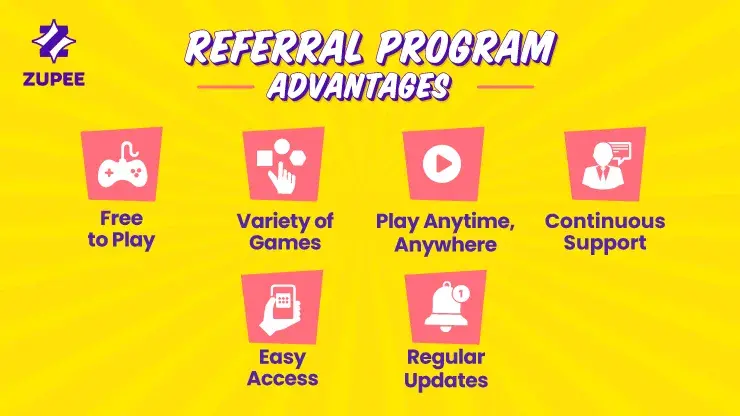
- Free to Play: All games on Zupee are free. Just download the app, pick a game, and start playing right away. No hidden steps or extra setup.
- Wide Variety of Games: Zupee brings together quick, skill-based options for everyone. You can play free Ludo games like Ludo Supreme, Ludo Supreme League, and Turbo Speed Ludo, along with other titles such as Snakes and Ladders, Carrom Ninja, Trump Cards Mania, and Super Over. Each one feels different and keeps things interesting.
- Play Anytime, Anywhere: You can open the app whenever you want. The games are short and simple, perfect for quick breaks or long sessions.
- Continuous Support: If something doesn’t work or you have a question, the support team is always available at support@zupee.com. They respond quickly and make things easy.
- Easy Access: You can play on Android, iOS, and even PC. For PC, use the Zupee free app for Android phone to start playing in just a few clicks.
Regular Updates: Zupee keeps adding new games and features, so there’s always something fresh waiting for you.
Sharing your Zupee refer code lets others join in and enjoy the same fun gaming experience.
How to Make the Most of the Refer and Earn Program
Want to get the best out of your refer and earn journey on Zupee? Here are a few simple ways to do that:
- Share smartly: Post your invite and earn code on WhatsApp, Instagram, and Facebook. Focus on groups or friends who enjoy quick games.
- Use updates well: Keep an eye on the latest offers, events, and new features. The Zupee refer and earn section in the app always lists what’s current.
- Encourage action: Remind your friends to sign up using your link or code so the reward gets added correctly.
- Stay consistent: The more you share, the more active your account stays in the refer and earn program.
Each small step helps you use your code better and stay updated with the latest features on Zupee.
Track Your Refer and Earn Rewards
Zupee makes it simple to see what you’ve earned and how your invites are performing. Everything is shown clearly in your refer and earn section.
Here’s how it works:
- Real-Time Updates: The app shows your rewards as soon as they’re added. You can check the list anytime and see the progress of each invite.
- Easy Tracking: Inside the refer and earn program, you’ll find a breakdown of each successful invite, including what you received for it.
- Transparent Process: No hidden steps. Everything you’ve gained through your Zupee referral code appears under one tab.
- Stay Informed: Zupee regularly updates the section so you always know about ongoing campaigns and changes in the reward system.
- Play and Track Together: While enjoying your free games, you can keep an eye on your rewards in real time without leaving the app.
This setup helps you understand how your invites are doing and how close you are to your next reward milestone.
Zupee Referral Program Terms & Conditions
- Changes to Referral Benefits: If there are any updates or changes to the referral benefits, these will only apply to new referrals made after the policy has been updated. These changes will not affect existing referrals that were made before the policy update.
- Referral Cap: If there’s a cap on the number of referrals one can make or a limit on the benefits one can receive, reaching this cap may result in changes to the benefits. Users affected by this change due to reaching the cap will be notified about the adjustments.
Zupee Refer and Earn: Start Sharing Today
Zupee connects players through games and rewards. With the refer and earn feature, you can share your unique link, invite others, and see your progress in one place.
Your Zupee free referral code helps you begin right away. Share it with friends, let them join, and enjoy the rewards as they roll in. Whether you’re playing Ludo, Carrom, or other quick games, every invite adds to your experience. Keep sharing, stay active, and enjoy the fun of refer and earn apps with Zupee.
Zupee Refer and Earn Program FAQs
What is the Refer & Earn program?
The program lets you invite others to join Zupee using your referral link. You receive rewards when someone signs up and completes the required steps.
What is the Zupee Referral Code?
The Zupee referral code can be shared through a personal link inside the app. When someone signs up using that link, the system connects their account to yours. You’ll get rewards through the program once they complete the joining steps.
Where can I find my Zupee referral code?
Your Zupee refer and earn code is available in the “Refer and Earn” section of the app. From there, you can copy the link or share it directly with your contacts. This section also shows live updates on your referrals and rewards.
What is the timeframe for receiving the Zupee referral bonus?
Rewards are usually added soon after your friend joins and completes the required steps. If you don’t see the update within a few minutes, contact care@zupee.com.
I have yet to receive my referral bonus, even though my friend used my code or link to sign up. What should I do?
Make sure your friend followed all the steps listed on the Refer and Earn screen. If the issue remains, reach out to care@zupee.com with your friend’s details so the team can check.
Is there a limit to how many people I can refer?
Yes. You can refer up to 30 people through your referral link.
What is a Zupee Gold referral code?
Zupee Gold is just another name for the Zupee app.The Zupee Gold app referral code works the same way as the regular referral program. It lets you invite new users to join Zupee through your code. When someone uses your Zupee Gold refer and earn link, you may receive rewards as per the app’s rules. You can find your code in your profile or settings section.
What’s Zupee's referral code today?
The Zupee referral code in 2025 stays the same for each user and doesn’t change daily. You can find your active code in your app profile and share it anytime.
Play Free. Win iPhone, Bike.
Download App

